2.1 - Before you go
The Mozaic Earth app is designed to bridge the gap between high-level strategy and ground truth reality. It gives field teams, regardless of prior ecological experience, the tools to collect data with precision navigation and intuitive task management, so every metric is scientifically robust and ready to use.
2.1.1 - Download and log-in
Before heading into the field, make sure you have access to the app and your project is set up and ready.
-
Download: Search "Mozaic Earth" in your relevant app store and download.
-
Log-in:
-
Enter your email address into the app.
-
Check your inbox for a 6-digit passcode and enter it to verify.
💡 Pro Tip: If the code doesn't arrive, check your junk or spam folder.
-
-
Enter your name to create your account identity. This allows project managers to identify who collected specific data points for the audit trail.
-
. Accept your project invite to view your site(s) and you're in.
⚠️ You'll only be able to see a project if your email has been pre-registered
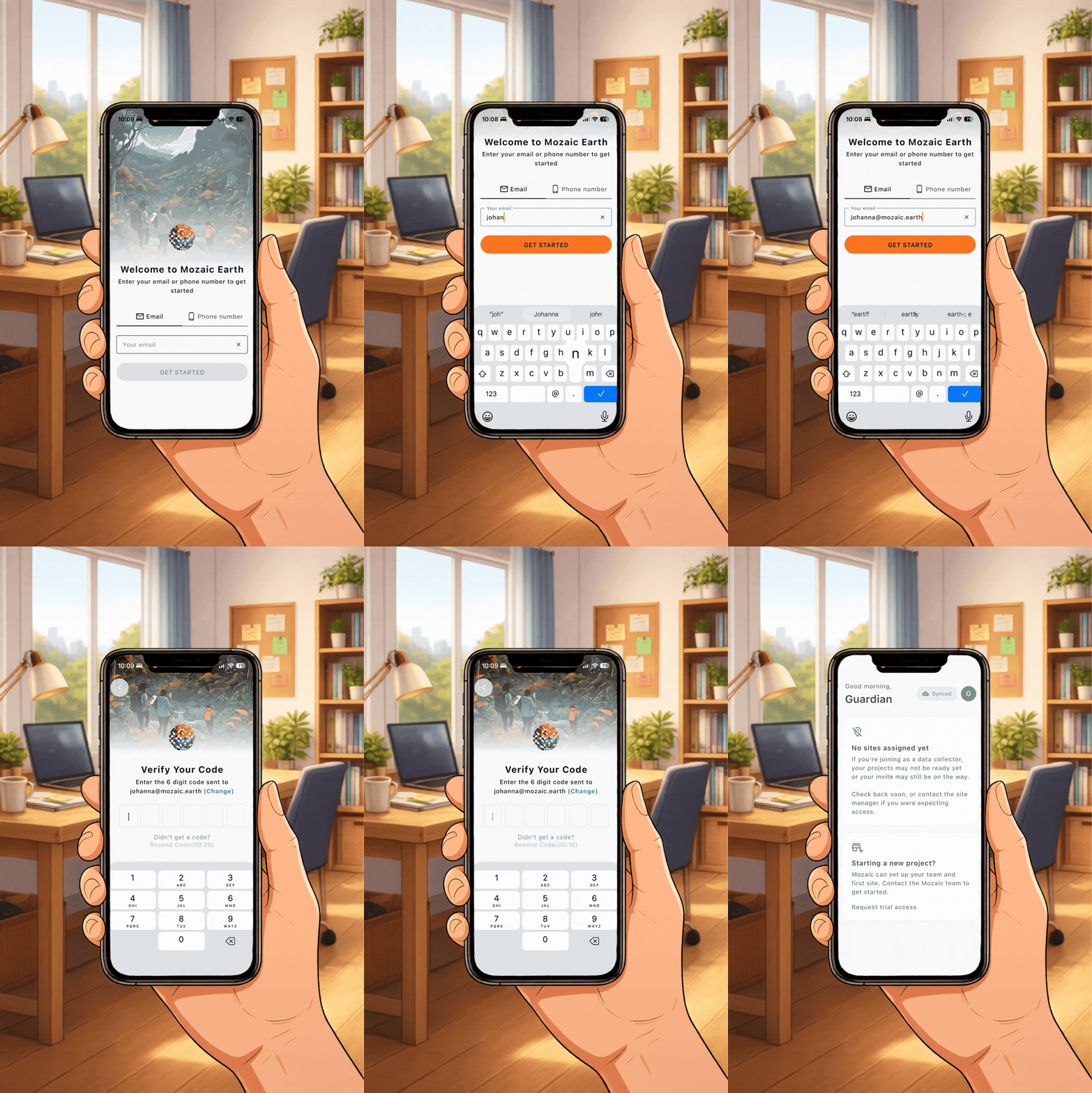
How to log-in to the Mozaic Earth App
2.1.2 - Pre-flight checklist
Run through this before you leave:
Is your device ready?
-
Storage and battery: make sure your device has enough of both for the day.
-
Camera check: confirm your camera's working well before you set off.
💡 Pro tip: Bring a battery pack for longer surveys, it's a lifesaver on longer days.
Do you have the equipment you need?
- A quadrat (if your checkpoints need one)
Suitable clothing?
- Suitable clothing and footwear for fieldwork, think weather, terrain, and how far you might be walking.
⚠️ The app works offline - but log in and load the checkpoints before you go off grid!
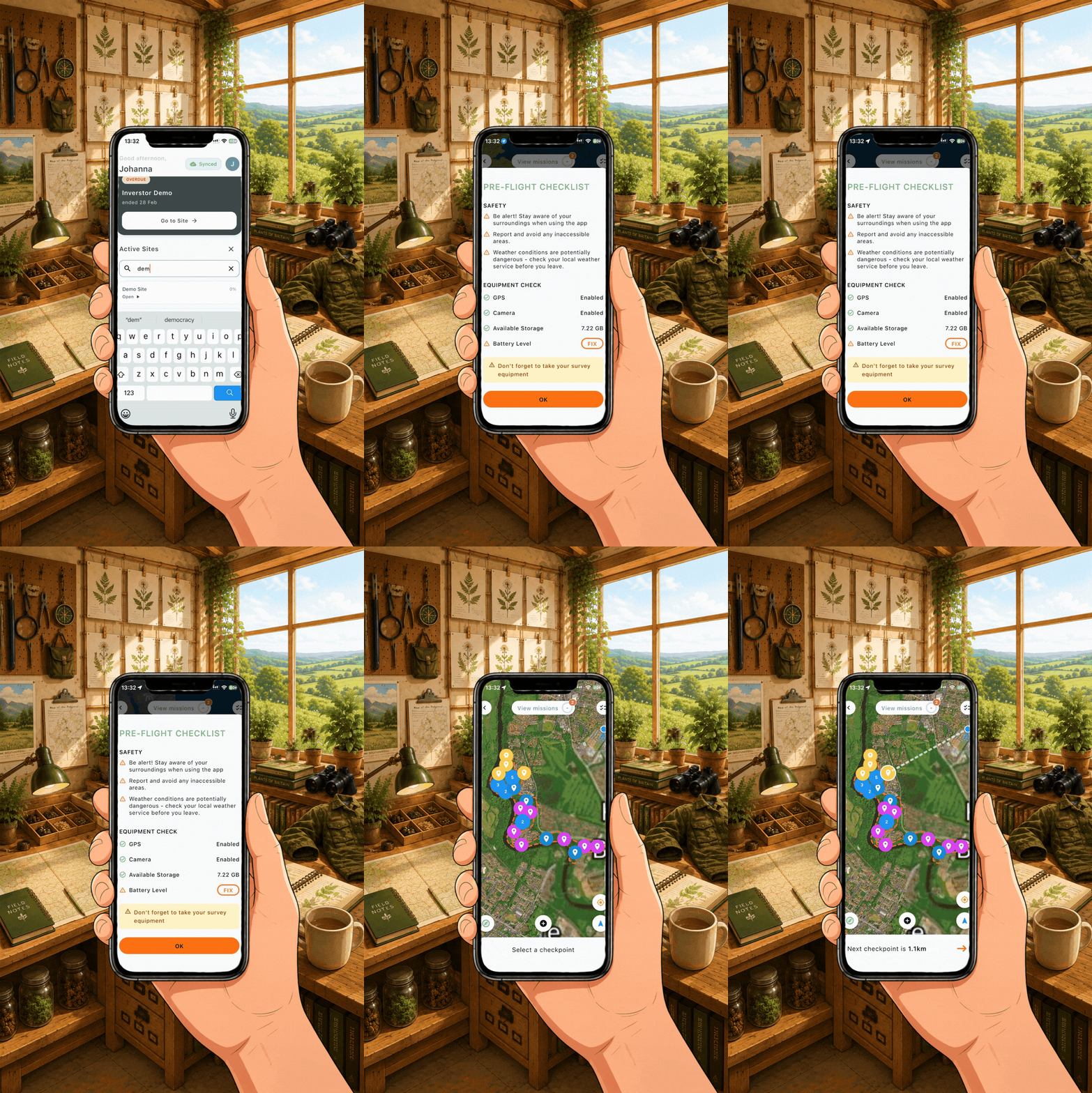
The pre-flight checklist you can do on the app!